Create a YouTube media kit sponsors can review quickly
When a sponsor asks for your YouTube media kit, they want the quick version of your channel: who watches, how your videos perform, and why your content is a good place for their campaign.
Channel proof in one clear page
Average views, watch time, audience, and sponsorship fit
One link for outreach emails and brand forms
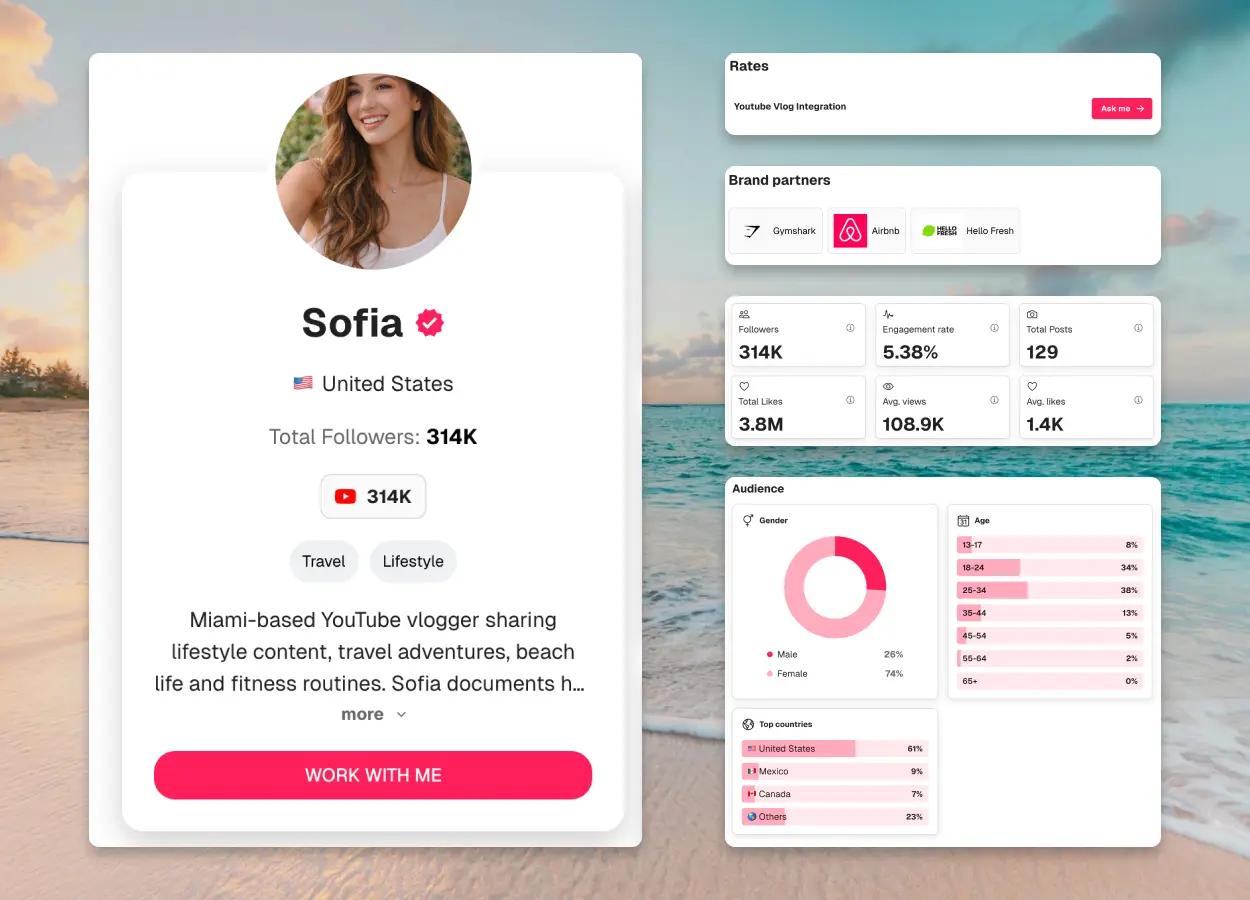
Subscribers
314K
Avg views / video
108.9K
Avg watch time
8m 36s
Monthly channel views
6.2M
Built for creators pitching YouTube sponsorships
CreatorsJet helps 0+ creators turn channel performance, audience proof, and contact details into a media kit sponsors can scan fast.
4.8/5
from creator feedback





0+
Creators using CreatorsJet
Built to help creators present channel credibility without messy screenshots.
One link
Easy to send
Use it in sponsorship emails, inbound replies, applications, and brand forms.
Current
Ready before every pitch
Keep your channel proof easier to review when sponsorship conversations move quickly.
The old YouTube media kit workflow takes too much work
Screenshots, PDFs, and slide decks can work, but they get outdated as your channel changes. Sponsors need a clear view of your current proof.
Manual approach
Static PDFs go stale when average views or uploads change
Canva or Slides need edits before every serious sponsor pitch
Channel proof gets scattered across screenshots and links
Sponsors spend extra time figuring out whether you are a fit
CreatorsJet approach
A clear YouTube media kit page structure
Channel stats, audience, proof, and contact details together
Sections sponsors can scan without extra back-and-forth
One shareable link for partnership conversations
What to Include in a YouTube Media Kit
Lead with the proof sponsors actually check: average views, audience trust, content fit, past work, and clear sponsorship options.
Subscriber base and growth
Show subscriber count and momentum, but keep it connected to actual video performance.
Average views
Average views help sponsors understand practical reach better than one viral upload.
Audience breakdown
Share location, age range, interests, and viewer profile details that matter for campaign targeting.
Channel highlights
Feature top videos, recurring formats, and content themes that explain what your channel is known for.
Sponsorship positioning
Clarify where brand integrations, dedicated videos, mentions, or long-term partnerships fit naturally.
Contact and rates
Make the next step simple with a business email and pricing guidance if you choose to share it.
Build Your YouTube Media Kit in 3 Steps
You do not need to make this complicated. Start with your channel, organize the proof, and send one clear page when a sponsor asks.
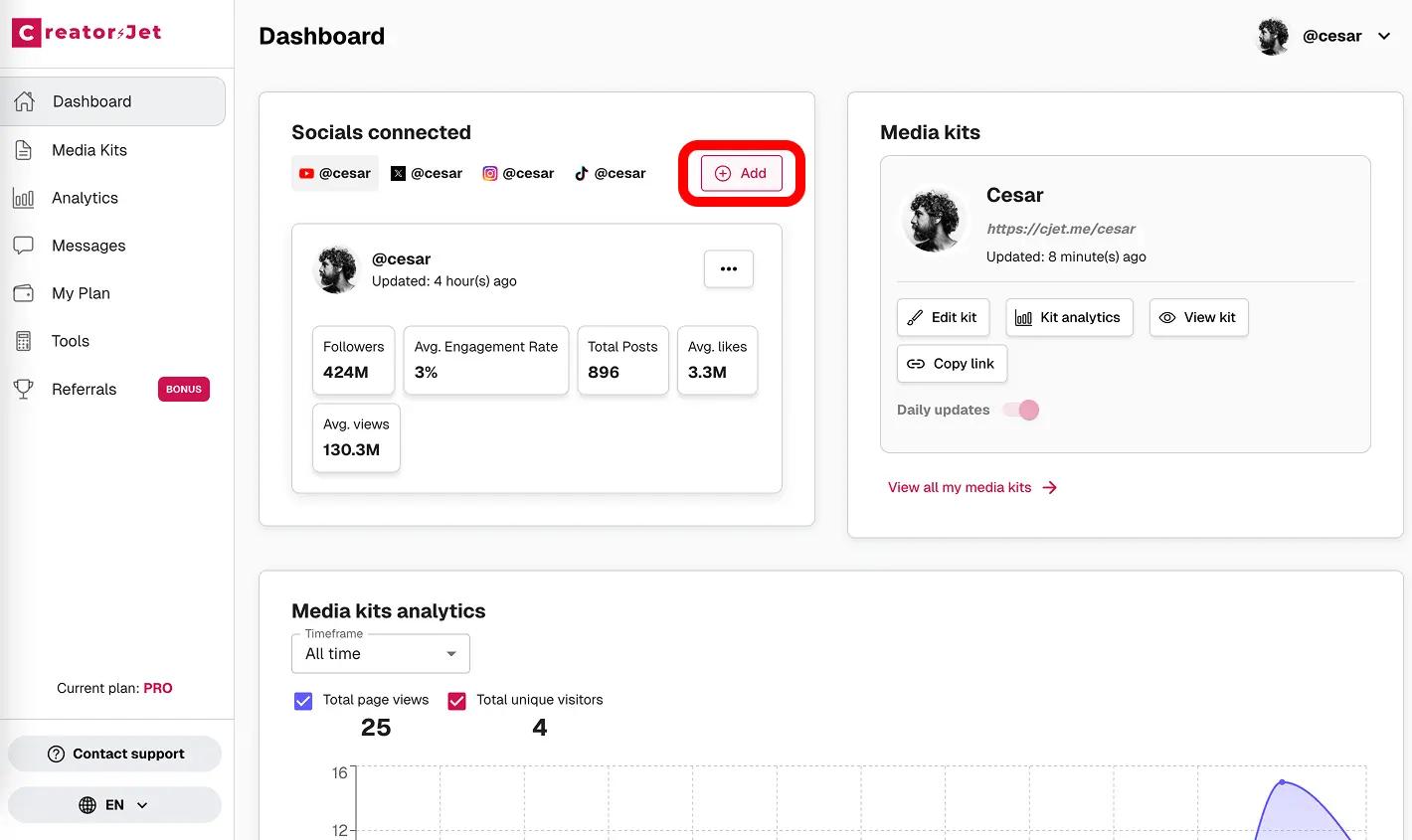
Add your YouTube channel
Start with your channel summary, niche, audience, upload style, and the current numbers sponsors need to review.
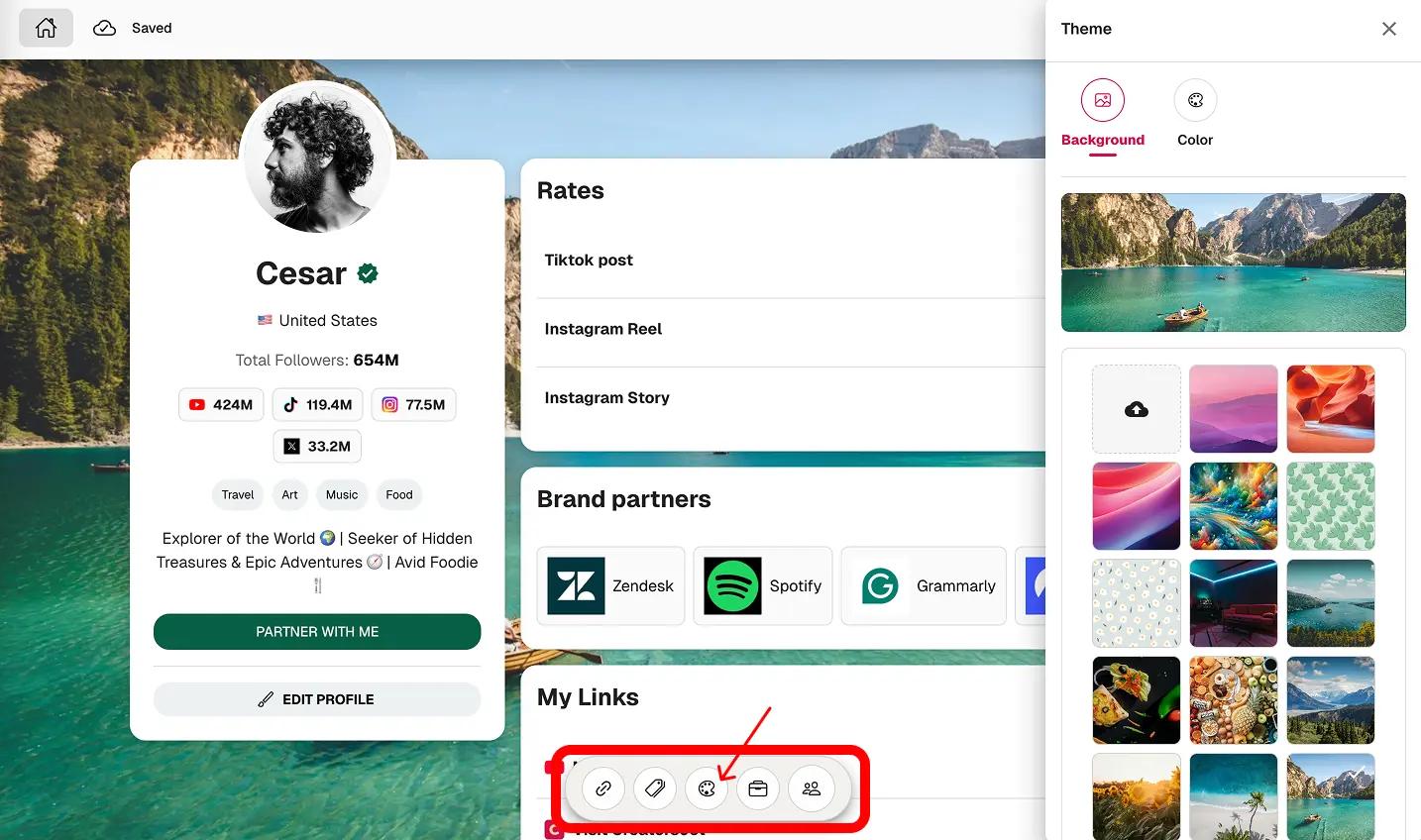
Choose the proof that matters
Add average views, watch-time context, audience details, top videos, past brand work, and sponsorship formats.
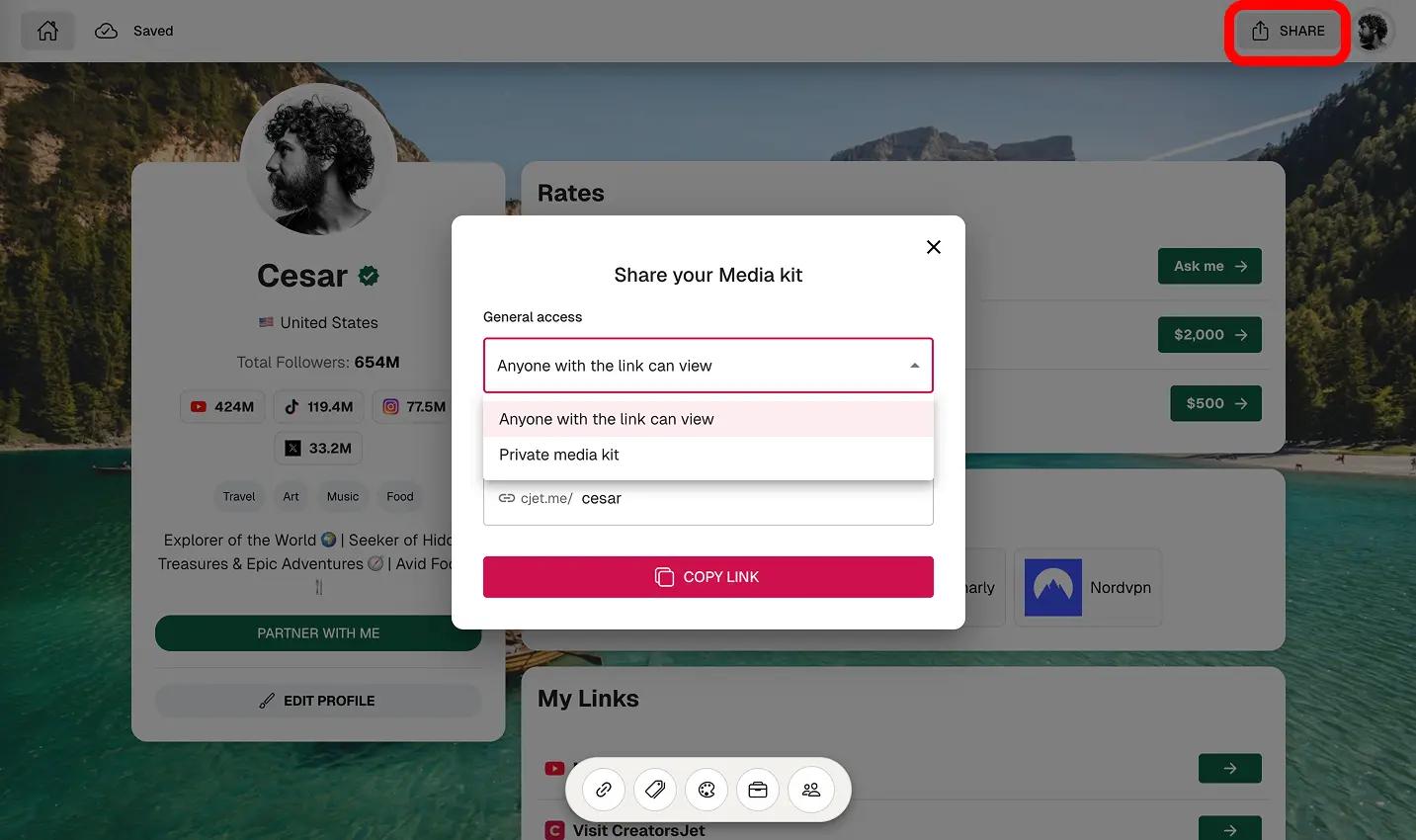
Share it in sponsor outreach
Send your media kit link in emails, inbound replies, brand applications, and follow-ups without attaching a messy deck.
Preview a YouTube Media Kit Sponsors Can Scan Fast
A useful kit puts the strongest proof near the top: channel performance, audience trust, content fit, and sponsorship options.
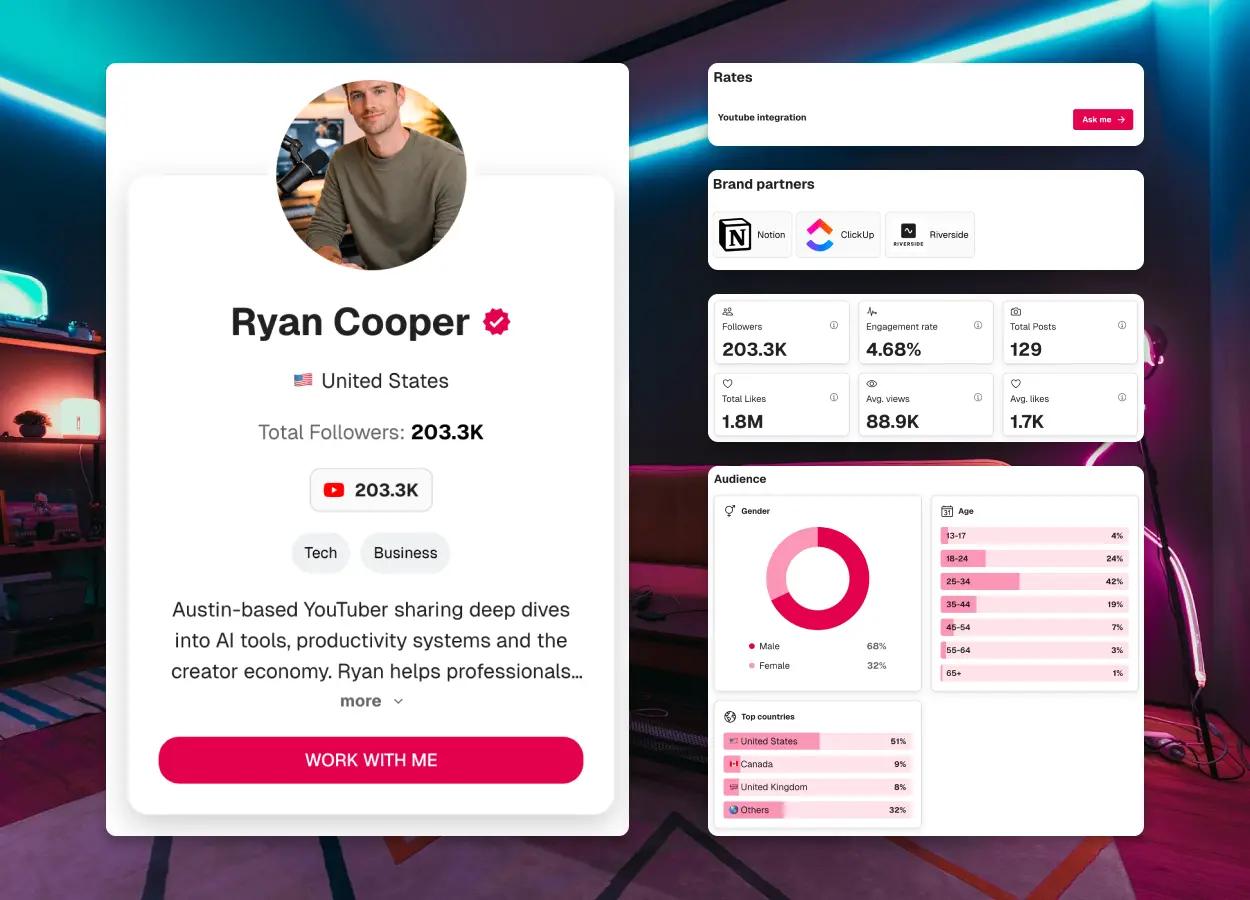
Key performance highlights
Subscribers
203.3K
Avg views / video
88.9K
Avg watch time
6m 12s
Monthly channel views
3.1M
Why Creators Use CreatorsJet for Their YouTube Media Kit
Clear sponsorship positioning
Help sponsors understand your channel, audience, and campaign fit before they watch a dozen videos.
Built for real outreach
Send one clean page instead of asking a brand team to piece together screenshots and links.
Less manual updating
Keep your media kit easier to refresh when your average views, uploads, or brand examples change.
Professional channel presentation
Show up prepared with a page that feels polished, focused, and easy to forward internally.
YouTube Media Kit FAQ
Common questions creators ask before sending a YouTube media kit to sponsors.
What should a YouTube media kit include?
Include your channel bio, niche, subscribers, average views, watch-time context, audience profile, top videos, past brand work, sponsorship options, and contact details.
Should I show subscriber count or average views?
Show both. Subscribers show scale, but average views usually tell sponsors more about realistic campaign reach.
Can I use a YouTube media kit for sponsorship outreach?
Yes. A media kit gives sponsors the quick, professional version of your channel so they can evaluate fit faster.
What metrics matter most in a YouTube media kit?
Start with average views, subscribers, watch time or retention context, audience location, content examples, and proof from past collaborations.
Why use CreatorsJet instead of a PDF?
A PDF can work, but it gets outdated quickly. CreatorsJet gives you a shareable page that is easier to update and send repeatedly.
Can I update my media kit without redesigning everything?
Yes. Keep the structure in place and update your numbers, videos, collaborations, and sponsorship options as your channel grows.
Can I share one link in sponsorship outreach emails?
Yes. A shareable media kit link works well in cold pitches, inbound replies, sponsor applications, and follow-ups.
Need Media Kits for Other Platforms Too?
If you pitch across multiple channels, build the same kind of clear proof for Instagram, TikTok, and Facebook.
Instagram Media Kit
Show Reels performance, engagement, audience fit, and collaboration proof.
View pageTikTok Media Kit
Present short-form performance, audience response, UGC options, and campaign fit.
View pageFacebook Media Kit
Package page reach, audience data, branded content, and partnership opportunities.
View pageReady to create your YouTube media kit?
Put your channel stats, proof, sponsorship options, and contact details in one page sponsors can review quickly.
