Media Kit Template for Creators
If you are staring at a blank page, a media kit template helps. It gives you the structure, but the real work is choosing the proof a brand actually needs to see.
What Is a Media Kit Template?
A media kit template is the starting structure for your creator pitch. It helps you organize who you are, who you reach, how your content performs, and how brands can work with you.
Think of it as the outline, not the whole strategy. A pretty template will not close the deal by itself. Your positioning, current numbers, content examples, and collaboration options still have to do the heavy lifting.
Used well, a template saves time and keeps your outreach consistent. It also makes it easier for a brand or agency to review your profile without digging through screenshots, links, and long email threads.
What to Include in a Media Kit Template
A good media kit template does not need every detail of your creator life. It needs the sections that help a brand understand fit, trust your proof, and know what to do next.
Section 1
Creator introduction
Start with a short bio that says who you are, what you create, who it is for, and where your content lives.
Section 2
Niche and positioning
Make your angle obvious. Brands should understand your category, your point of view, and why your audience pays attention.
Section 3
Audience demographics
Share the audience details that matter for campaigns: location, age range, gender split, interests, and anything especially relevant to your niche.
Section 4
Platform statistics
Include current followers, average views, reach, impressions, or subscriber numbers. Keep the timeframe recent and easy to understand.
Section 5
Engagement metrics
Follower count is only part of the story. Add engagement rate, saves, comments, clicks, or replies when those numbers show real audience interest.
Section 6
Past collaborations
Add brands you have worked with, campaign examples, press, testimonials, or organic content that proves you can create at a professional level.
Section 7
Services or deliverables
List what brands can book: UGC videos, Reels, TikToks, Stories, integrations, photos, newsletters, bundles, or usage rights.
Section 8
Contact details
Make the next step simple. Add a business email, manager contact if you have one, and a clear way to start the conversation.
Media Kit Template Structure Preview
Use this as your base. Then edit it down so it sounds like you and only includes the proof that helps a brand make a decision.
About Me
A short intro, your niche, your location if relevant, and the kind of content you are known for.
Audience Overview
The demographic and interest details that explain who you influence and why that audience matters.
Platform Stats
Your current numbers by platform, using the same recent date range so the data feels credible.
Brand Work
Selected collaborations, campaign examples, press mentions, or content wins that create trust.
Services
Clear deliverables and partnership options so brands can quickly see what they can book.
Contact
A business email and simple next step so no opportunity gets lost because the contact path was unclear.
Media Kit Template Examples and Inspiration
Templates can look different depending on the platform, but the best ones all do the same job: they make your value easy to understand.
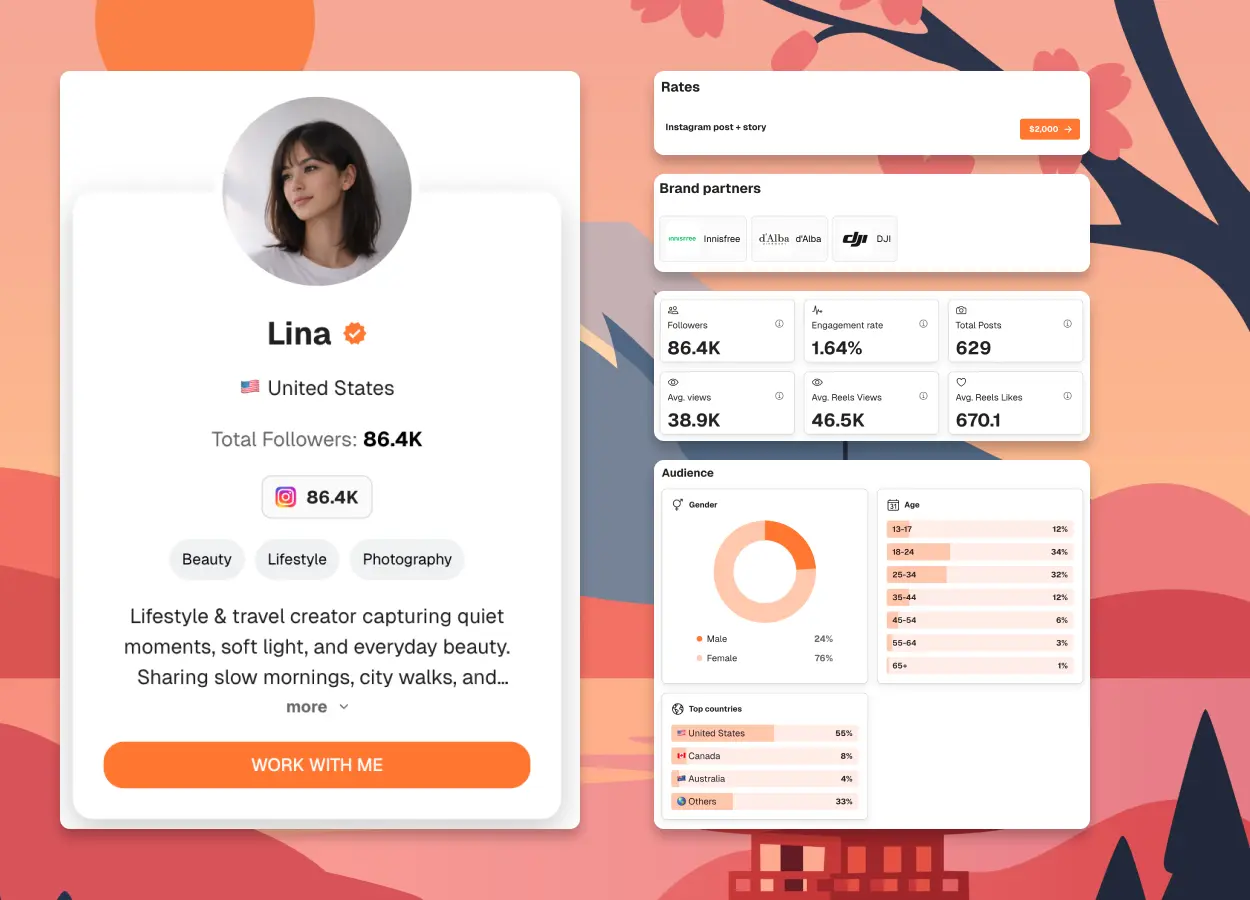
Instagram Creator Layout
A visual-first layout for creators who need to show aesthetic, audience fit, and campaign-friendly content quickly.
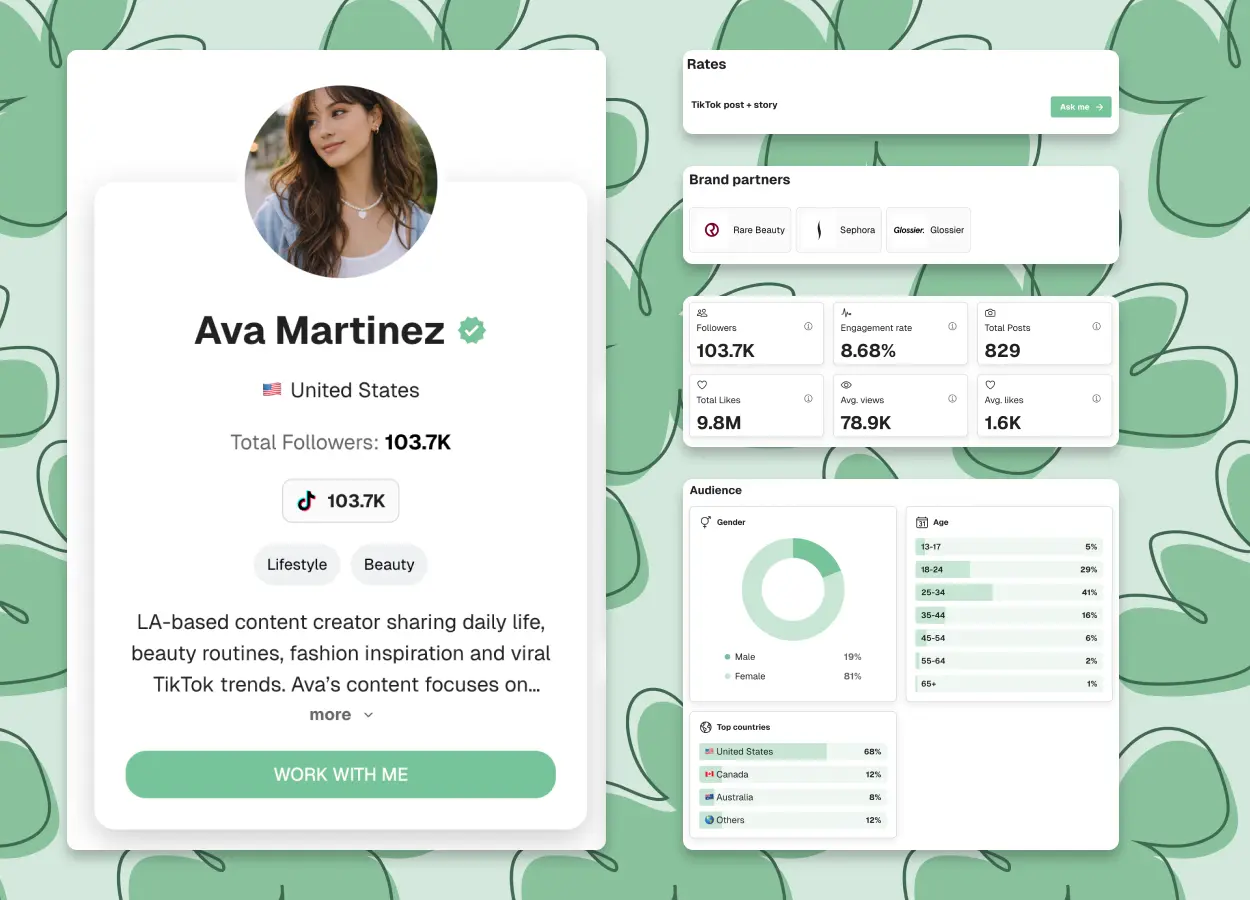
TikTok Creator Layout
A short-form layout that leads with views, engagement, content style, and the formats brands can book.
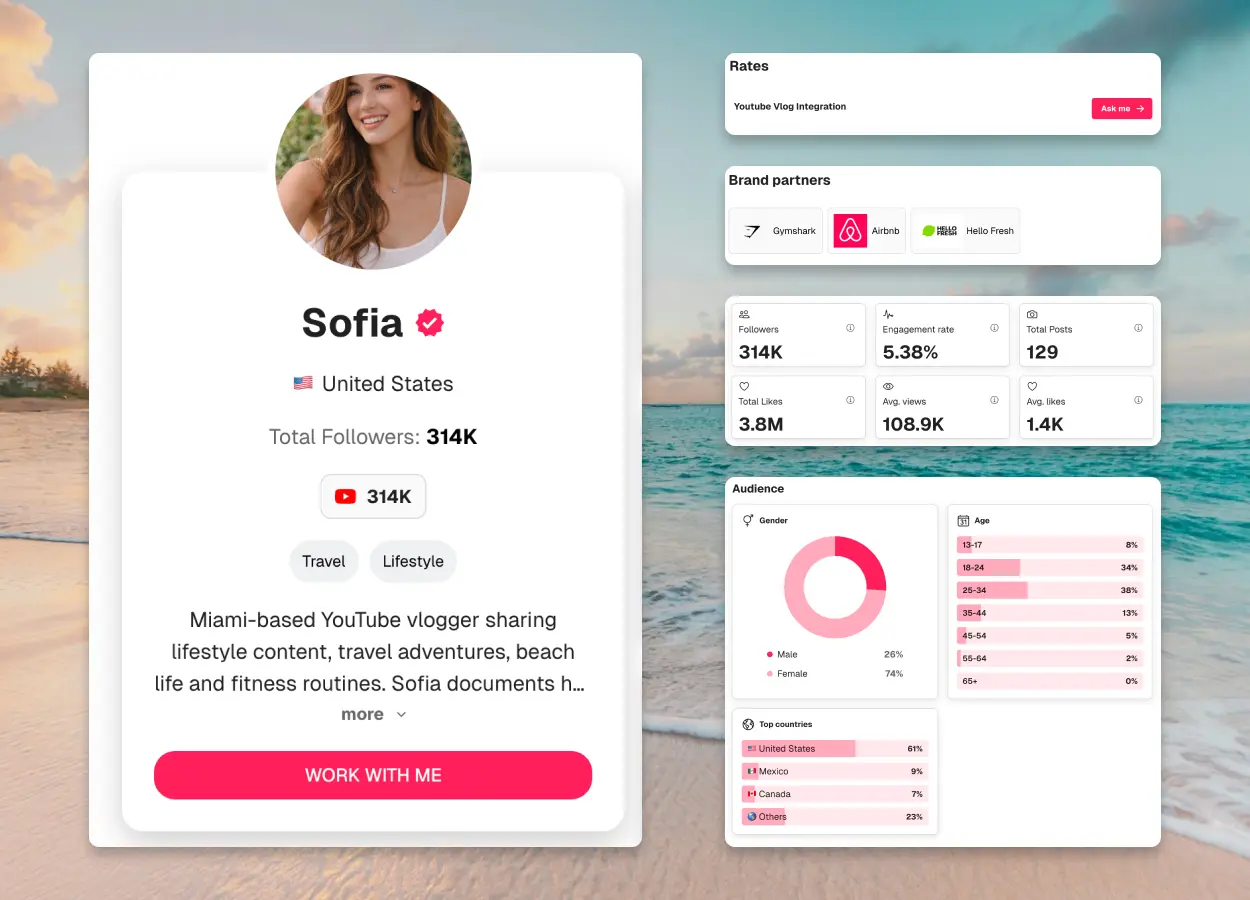
YouTube Creator Layout
A structure for creators who need to highlight average views, watch behavior, audience trust, and integration options.
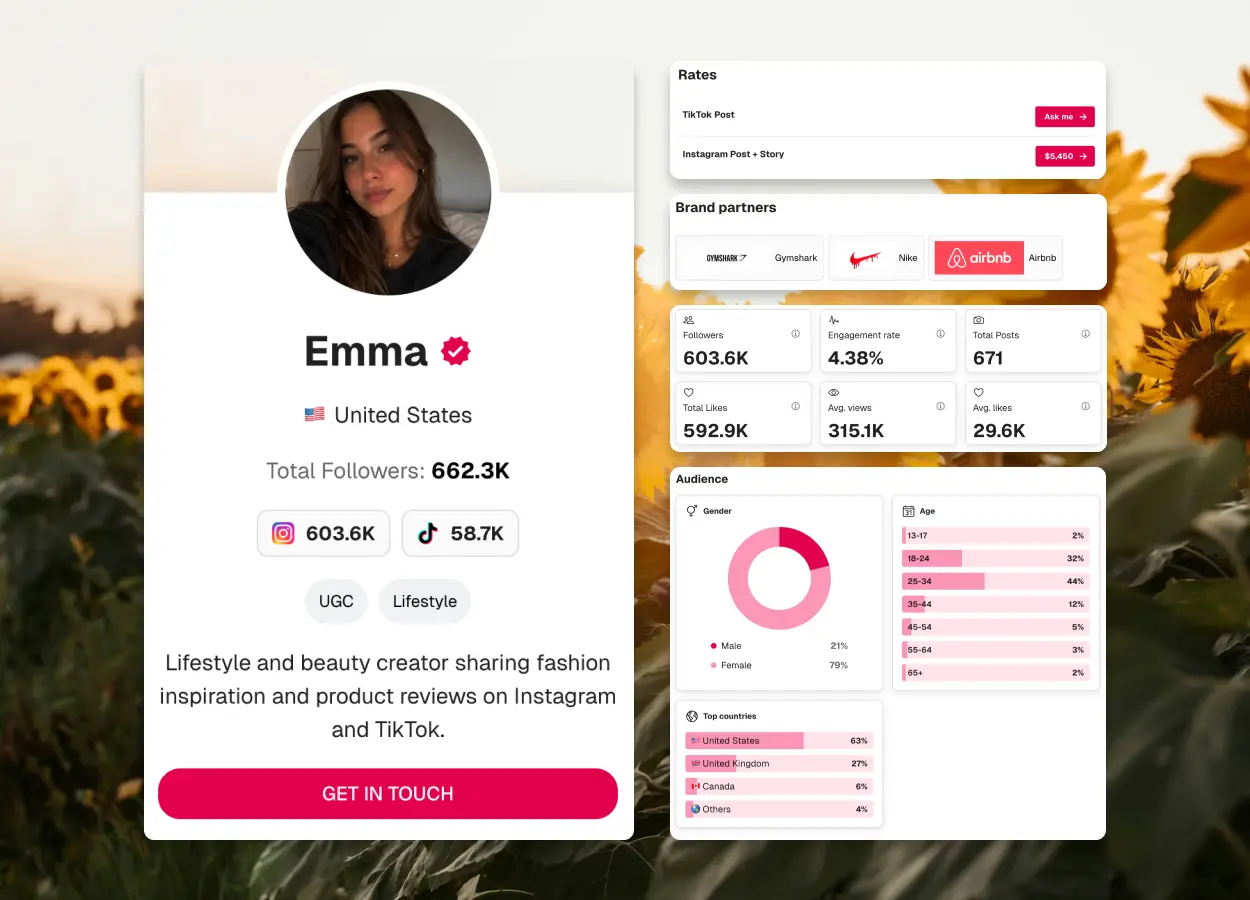
Multi-Platform Creator Layout
A simple profile-led format for creators who bring value across more than one channel.
Static Template vs Shareable Media Kit
Both can work. The right choice depends on how often your numbers change and how often you pitch brands.
Static template
Helpful when you need structure
Easy to start from a blank page
Usually shared as a PDF or slide deck
Needs manual updates
Shareable media kit
Helpful when you need structure and current data
Takes a little setup, then saves time later
Usually shared as a link
Easier to refresh before outreach
If your metrics rarely change, a static template can be enough. If you pitch often, a shareable format is usually easier to keep current and reuse.
Who Should Use a Media Kit Template?
Influencers
Use a template to present audience fit, social proof, content style, and partnership readiness.
UGC creators
Use it to package your deliverables, production style, usage rights, and examples for brand teams.
TikTok creators
Show short-form performance, content formats, audience response, and campaign options.
Instagram creators
Present Reels, Stories, engagement, visual style, and audience insights in one clean place.
YouTubers
Highlight average views, audience trust, content categories, and sponsorship formats.
Freelance content creators
Combine your portfolio, creator profile, packages, and contact details in a format brands can scan.
Talent managers
Give every creator profile a consistent structure while keeping each creator’s positioning specific.
Build Your Media Kit in 3 Steps
You do not need to overcomplicate it. Start with the essentials, make the page easy to scan, and update it before you send it.
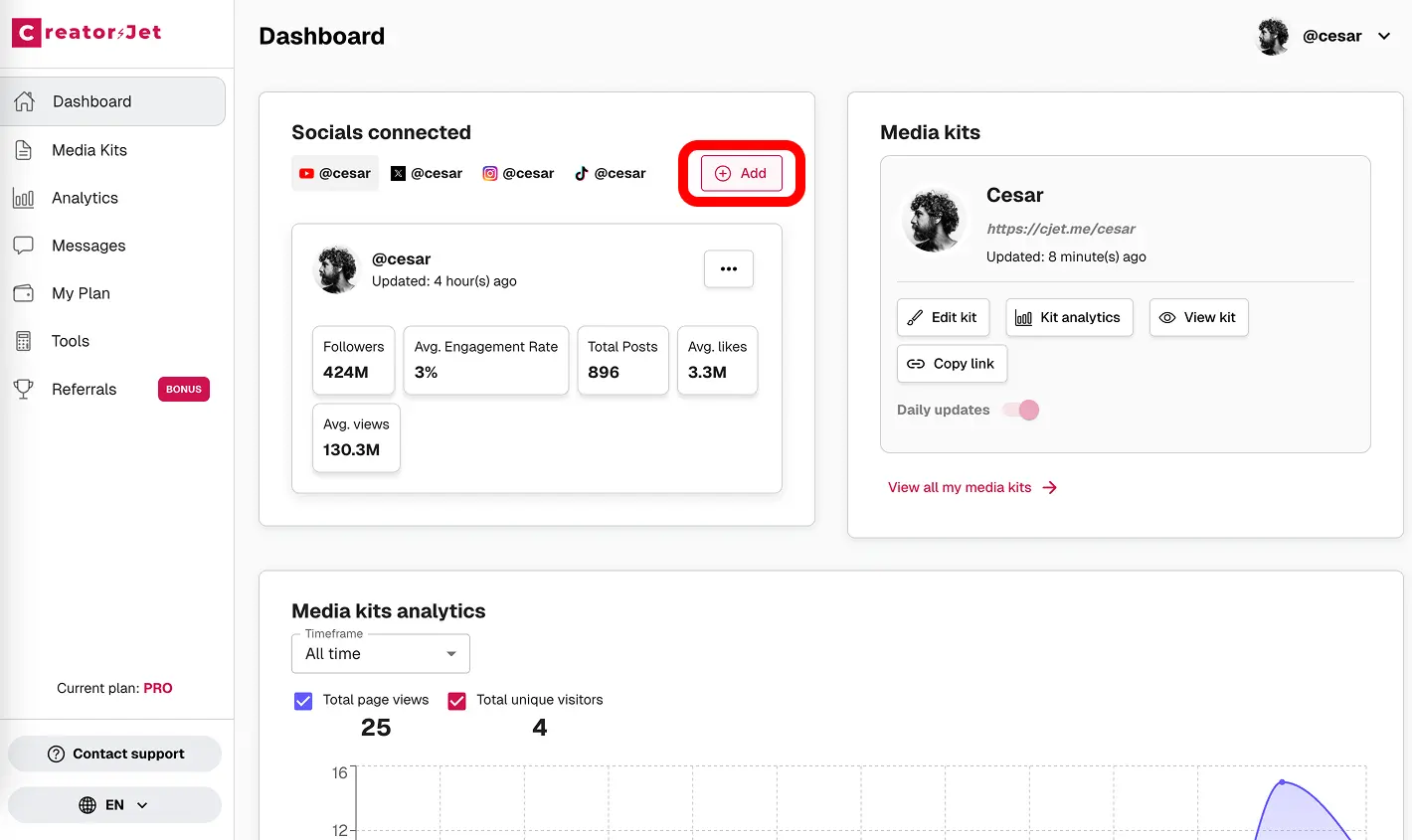
Add your creator details
Write the short version of your creator business: niche, audience, platforms, and the kind of collaborations you want.
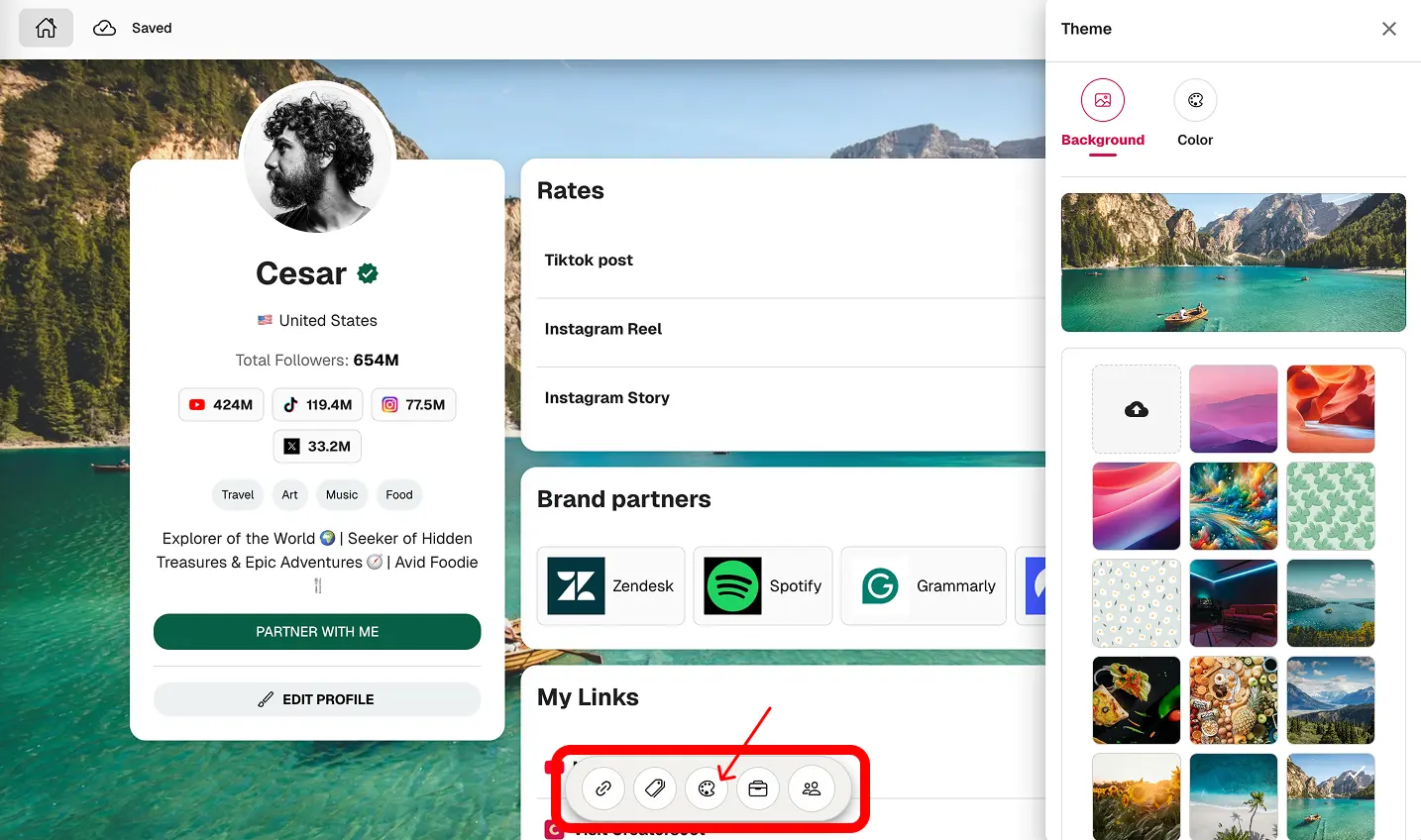
Organize the proof
Add your current metrics, content examples, brand work, testimonials, and deliverables in a clear order.
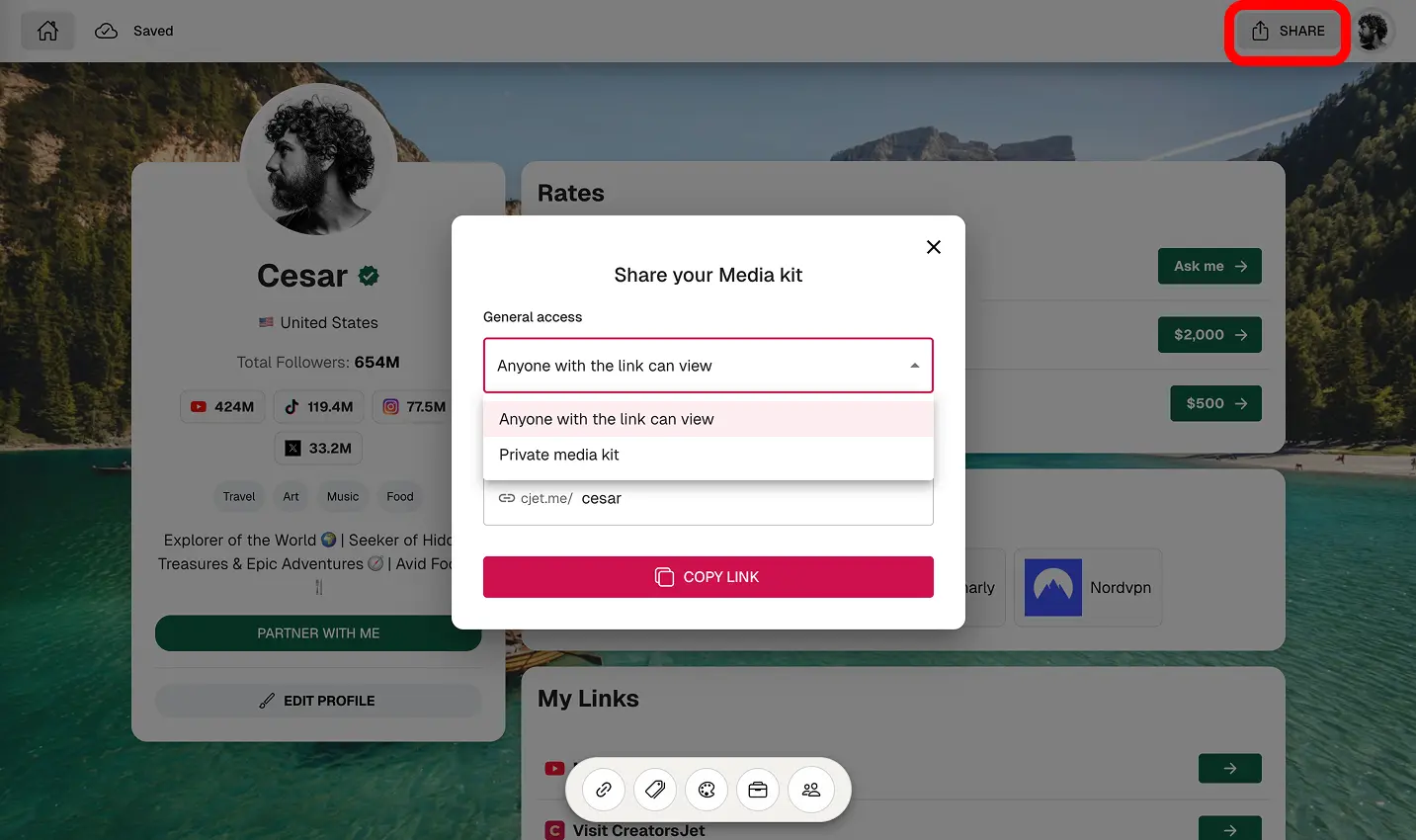
Share it with confidence
Use it in pitches, inbound replies, and follow-ups. Revisit the numbers often so brands always see current information.
Practical Tips for a Better Media Kit Template
A template is useful when it makes the brand’s job easier. The cleaner the proof, the faster someone can understand whether you are a fit.
What brands expect to see
Most brand teams are looking for the same signals: your niche, audience fit, platform performance, engagement quality, content examples, past collaborations, and a clear way to work together. Your template should make those signals obvious without making the reader hunt for them.
Common mistakes to avoid
Adding every metric you can find instead of leading with the numbers that prove value.
Using old screenshots, outdated follower counts, or mixed date ranges.
Writing a generic bio that could belong to any creator in your niche.
Forgetting deliverables, contact details, or a clear next step.
When a static template is enough
A static template works when your content, audience, and stats do not change very often. If you pitch regularly or your numbers move quickly, use a format you can update before every campaign conversation.
Start with a media kit template built for brand deals
Give brands the quick version of your creator business: your positioning, stats, proof, deliverables, and contact details in one clean page.
Media Kit Template FAQ
Common questions creators ask before building their media kit.
What is a media kit template?
A media kit template is a reusable structure for organizing your creator bio, audience, metrics, content examples, brand work, deliverables, and contact details.
What should a creator media kit template include?
Start with your bio, niche, audience demographics, platform stats, engagement, content examples, past collaborations, services, and a clear contact section.
Is a media kit template the same as a media kit?
Not exactly. The template is the structure. Your media kit is the finished version filled with your real data, proof, examples, and offer.
Can influencers use a media kit template?
Yes. Influencers use templates to stay organized when pitching brands, replying to inbound requests, or sending details to agencies.
Should a media kit template include prices?
It depends. If your rates are consistent, you can include starting prices. If pricing changes by scope, keep it simple and invite brands to request a quote.
Is a PDF media kit template enough?
A PDF can work if your information changes slowly. If your stats move often, make sure you can update the kit before every serious pitch.
How do content creators make a media kit template?
Choose the core sections, gather recent data, add your best proof, keep the layout easy to scan, and remove anything that does not help a brand decide.
What is the difference between a template and a shareable media kit?
A template gives you the structure. A shareable media kit is the finished page or document you send to brands when you want them to evaluate you quickly.
Create a media kit brands can review quickly
Start with the right structure, add your real proof, and make it easy for the next brand to understand why working with you makes sense.
Create your media kit
Build your professional media kit in minutes with CreatorsJet. The only media kit maker that helps creators secure more brand collaborations.
Creator Resources
Free Tools
Engagement rate calculators
Top Social Platforms
Alternatives
© 2026 CreatorsJet. All rights reserved.